
1.Product Name
2.Electrical Parameters
- 24V/36V battery supply (48V optional)
- Rated operating current: 10mA
- Max operating current: 30mA
- Off leakage current < 1uA
- Max output current to controller: 50mA
- Operating temperature: -20~70℃
- Storage temperature: -30~80℃
3.Material and Dimensions
Product shell is ABS; transparent window is made with high strength Acrylic,
which has stiffness equal to tempered glass.
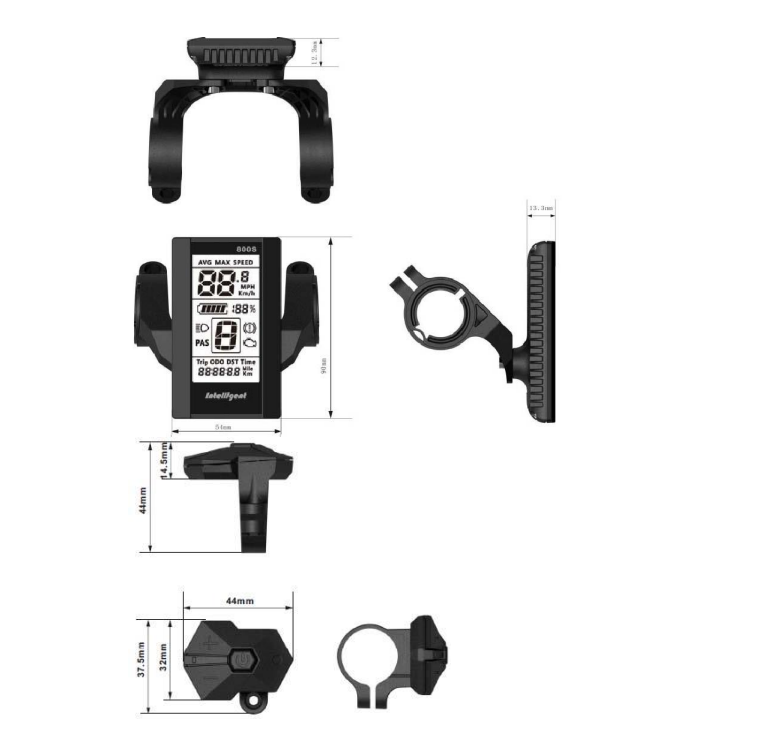
Dimensions: L90mm X W54mm X H13.3mm
4.Features
- Ergonomic easy to operate external button.
- Speed display: AVG SPEED, MAX SPEED and SPEED (Real-time).
- Kilometre / Mile: Can be set according to customers’ preference.
- Battery indicator
- The brightness of the backlight adjustable: 5-sections.
- 9-level Assist (default): 3 or 5-level can be selected.
- Mileage indicator: Odometer/Trip distance/ Riding time/Power.
- Error code indicator
- Parameter settings: Multiple parameters can be set through computer USB
- port, including assist level numbers/ Wheel diameter / Speed limit…
- Requires optional BBS01/02/HD programme cable
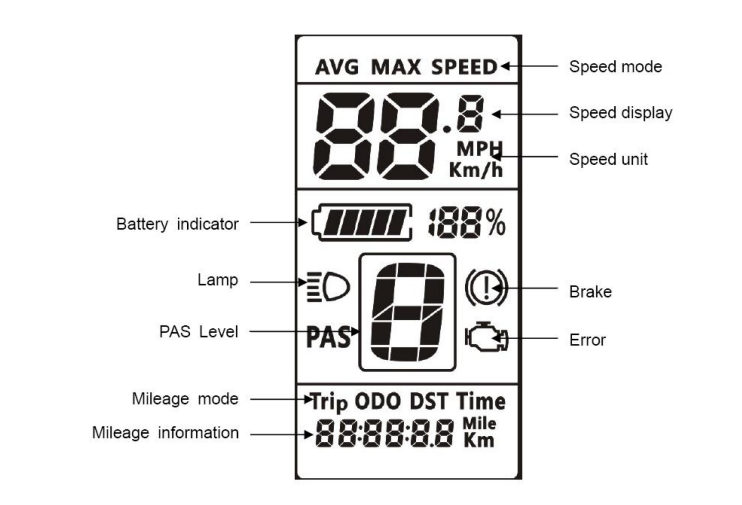
5.LCD Display Symbols
6.Functional Description
6.1 Power On/Off
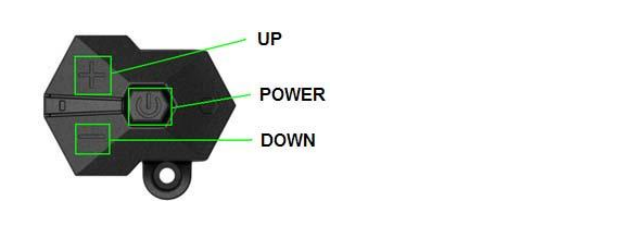
Press and hold the ‘Power button for 1 second to turn the display on or off. The display will automatically shut down when there is no operation or riding for a set number of minutes. This can be set from 0~9 minutes via the basic menu.
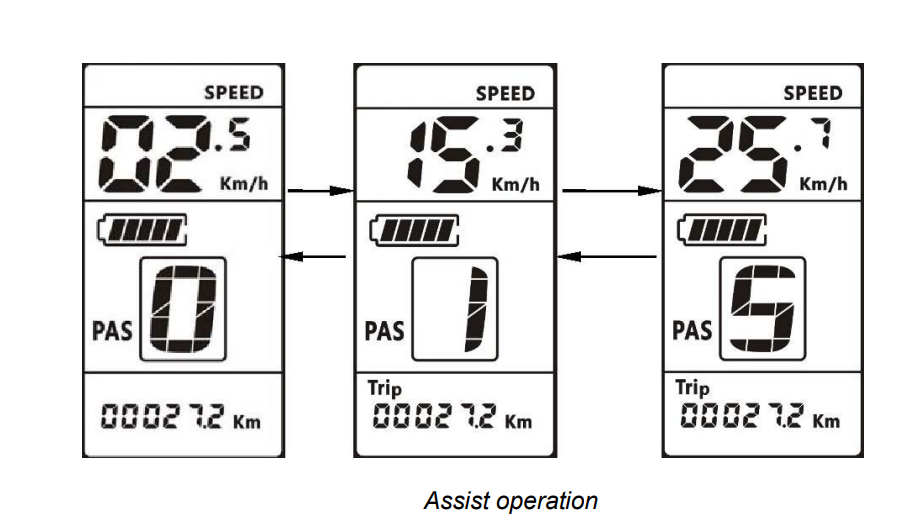
6.2 Assist level operation
A short press of the + (UP) or – (DOWN) button changes the assist level, 0 is neutral and the power up default is 1. The range of levels can be adjusted according to user preference (default is 0~9). See section 8.4.
6.3 Speed and Mileage display modes
A short press of the ‘POWER’ button will change the display mode in the following order: Trip->Time->ODO->Power-> AVG Speed->MAX Speed.
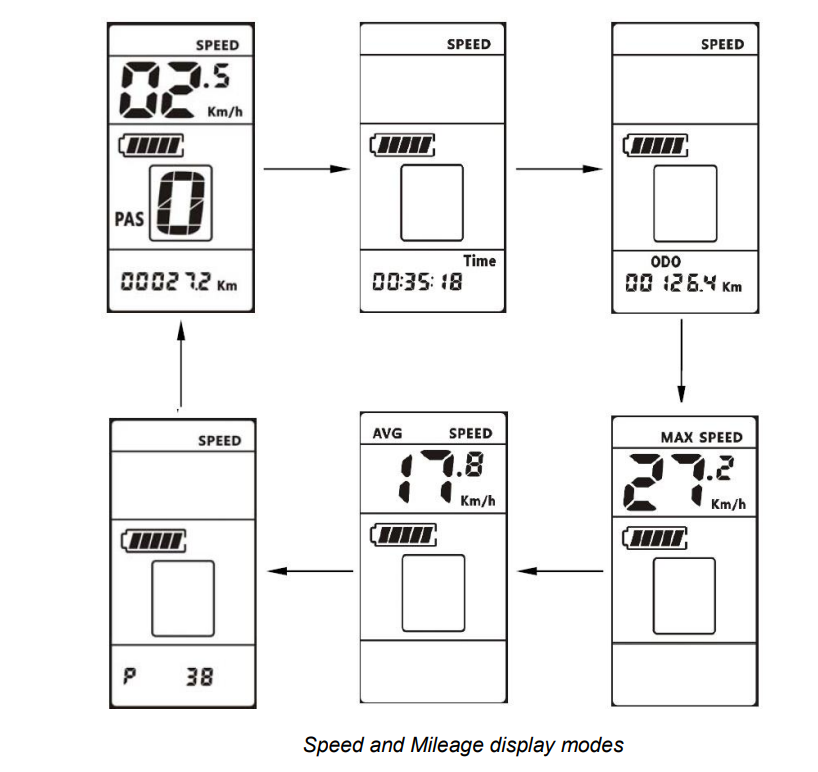
*If there is no operation for 5 seconds, display will return to the Speed (Real-Time) display automatically.
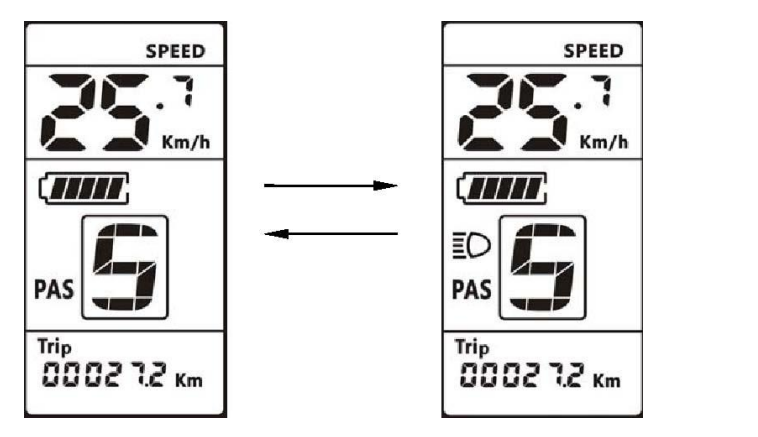
6.4 Backlight On/Off
Press and hold the UP button for 1 second to turn the backlight on or off (indicated by the headlight symbol).
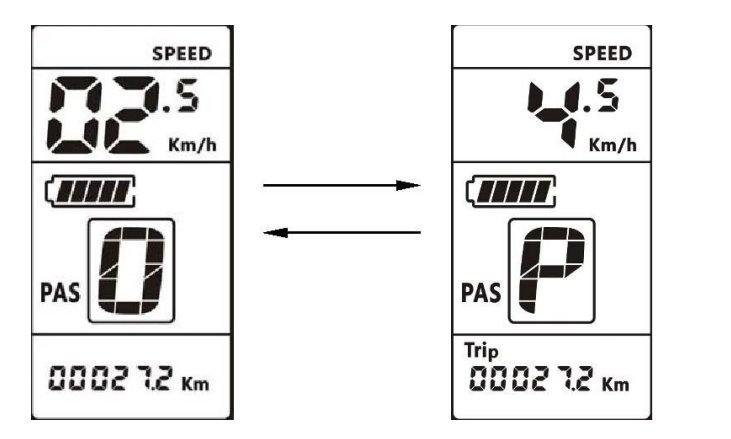
6.5 Walking mode
Walking mode will assist you in pushing your bike at around 6km/h. Press and hold the DOWN button to start walking mode and release button to
stop.
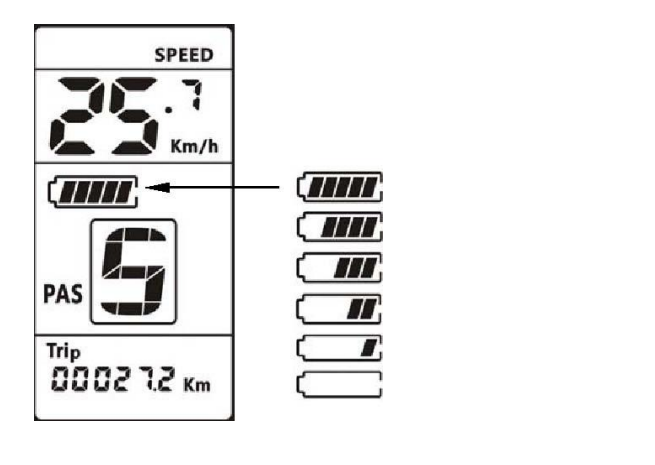
6.6 Battery indicator
Shows level of charge in the battery.
7.Basic Parameter settings
To enter the basic menu press and hold the ‘UP’ and ‘DOWN’ buttons together for 1 second, the ‘n’ symbol will flash to indicate you are in the basic menu.
The display will automatically exit the basic menu if there is no activity for 10 seconds.
The Basic menu parameters are as follows:
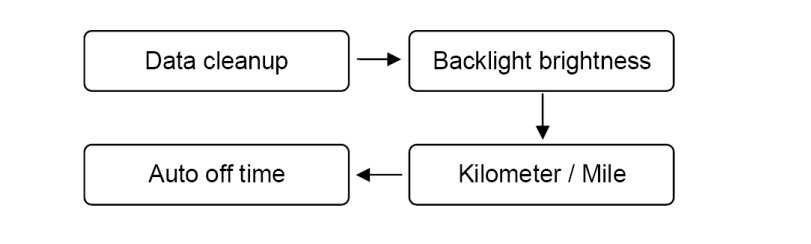
7.1 Data clean-up
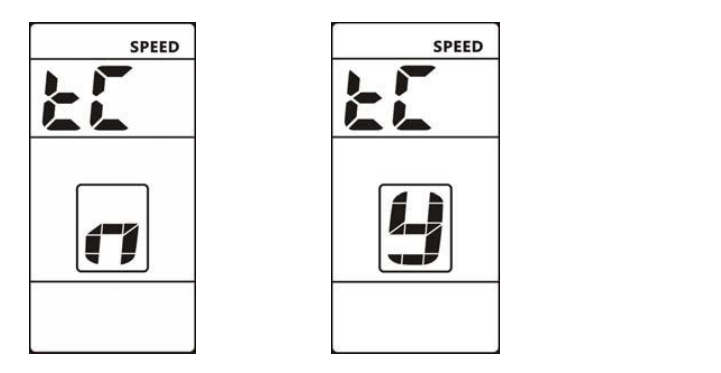
Data Clean-up resets: AVG Speed, MAX Speed, Trip and Time data.
The symbol ‘tC’ is displayed. The ‘n’ and ‘y’ symbols represent ‘No’ and ‘Yes’. To perform a ‘Data clean-up’ change to ‘y’ using the UP or DOWN button and
press the POWER button. To move to the next parameter press the ‘POWER’ button while ‘n’ is displayed.
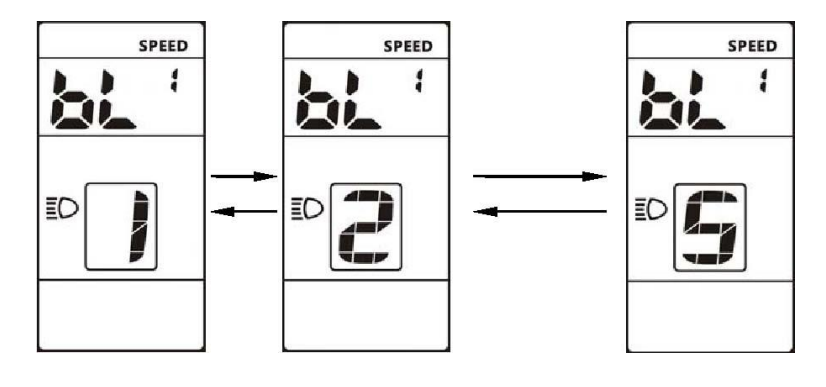
7.2 Backlight brightness
Symbol ‘bL 1’ is displayed. Press the UP or DOWN button to change the brightness value, the range is 1 to 5. The default value is 3.
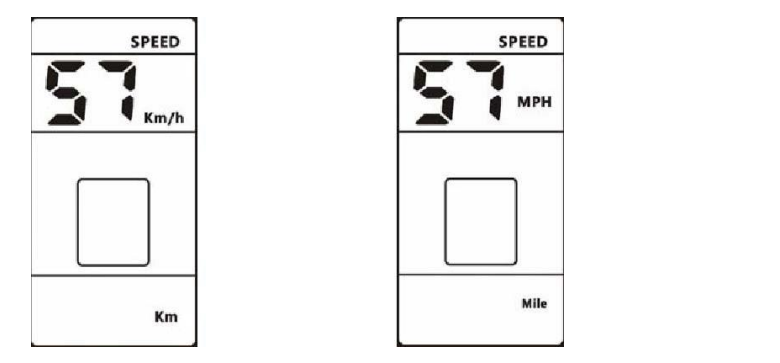
7.3 Kilometers / Miles
The symbol ‘S7’ is displayed. Press the UP or DOWN button to change between Km (Km/h) and Mile (MPH), then press the POWER button to confirm.
7.4 Auto off time
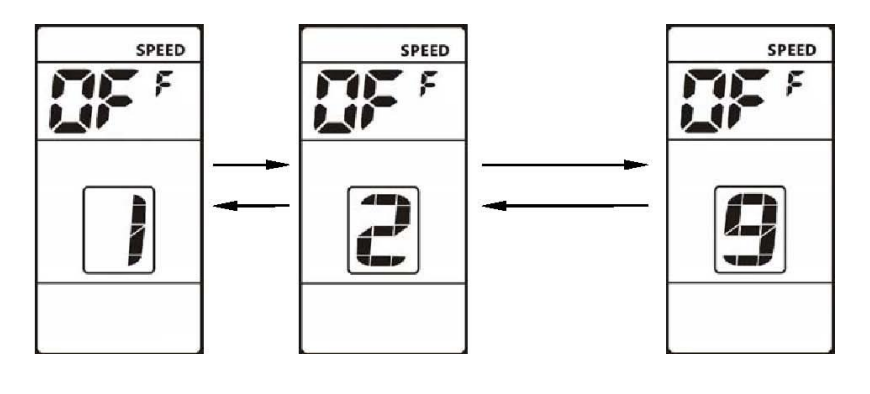
The symbol ‘OFF’ is displayed. Press the UP or DOWN button to change the value, the range is 1 to 9, the number represents the delay time in minutes, before the display shuts down automatically. The default value is 5 minutes.
8. Password Protected Menu
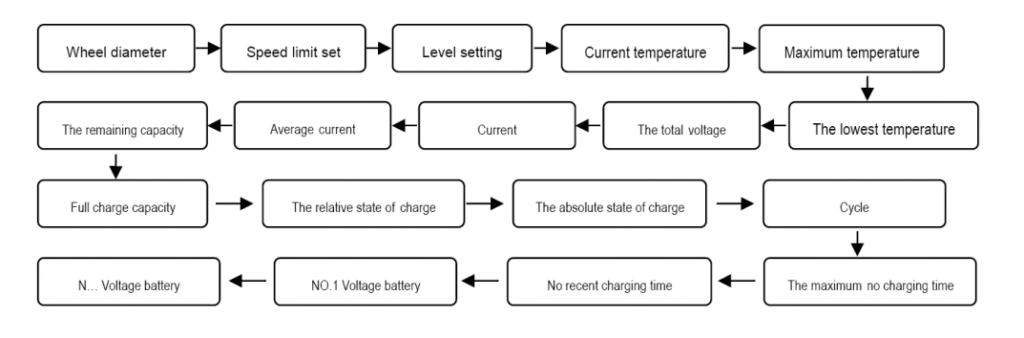
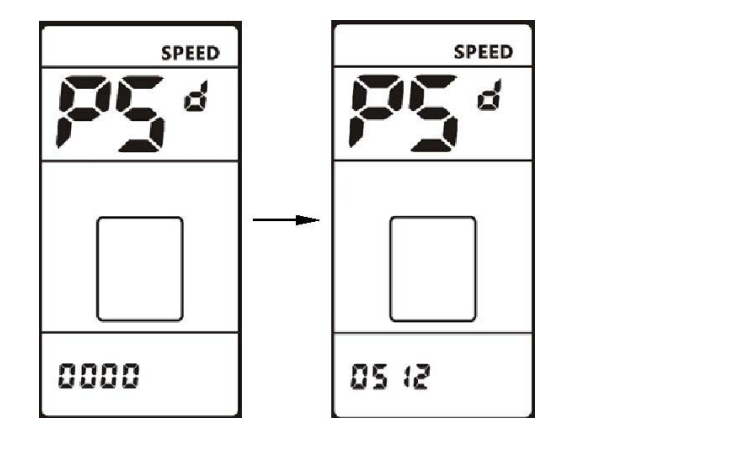
To get to the password protected menu you must first enter the basic menu by pressing the ‘UP’ and ‘DOWN’ buttons simultaneously. Now repeat this to enter the password protected menu. To use the menu you must enter a 4 digit password. The default password is “0512”. Use the UP or DOWN buttons to change the number and the ‘POWER’ button to confirm and move to the next number. When the last number is entered and the password is correct, you will move to the first menu item (Wheel diameter).
Note about the following display functions:
The display functions detailed in sections 8.5 to 8.17 may not be enabled, so although they may appear, they will have zero values.
8.1 Password
The symbol ‘PSd’ is displayed together with “0000”. Enter the password as described above.
8.2 Wheel diameter
The symbol ‘Wd’ is displayed. Use the UP or DOWN button to select your wheel diameter in inches.
The range is: 8/10/12/14/16/18/20/22/24/26/27/28/29
Selecting the wrong value will cause speed and distance errors.
8.3 Speed limit
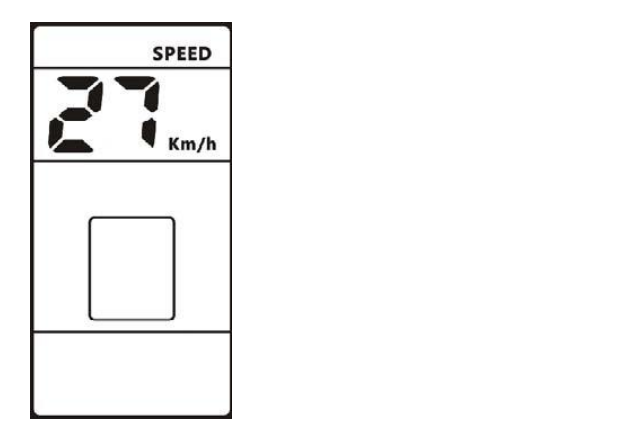
The current speed limit value is displayed; the default value is 27Km/h. Use the UP or DOWN buttons to modify the value from 10 to 99Km/h, although the upper speeds would probably not be achieved due to restrictions within the motor and controller.
8.4 Range of assist level settings
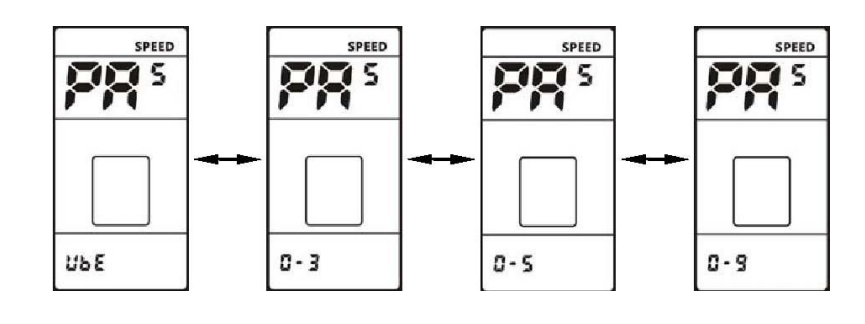
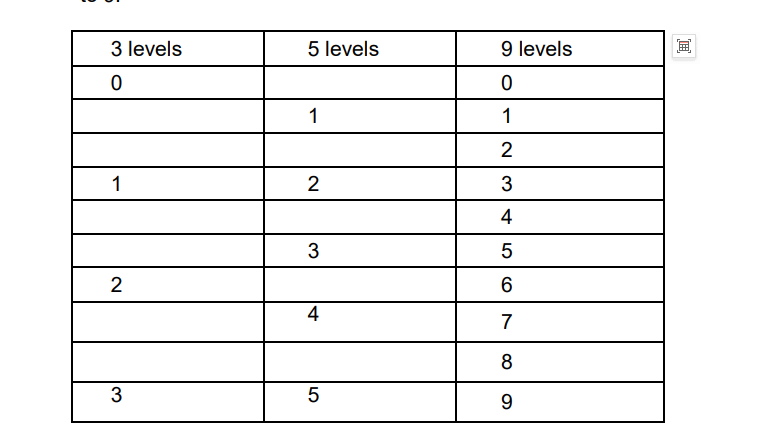
The ‘PAS’ symbol is displayed. You can choose the range of power assist levels, the default is UBE. Press the UP or DOWN buttons to change the value to 0-3, 0-5, 0-9 or UBE. See table in section 11.
8.5 The Current temperature:
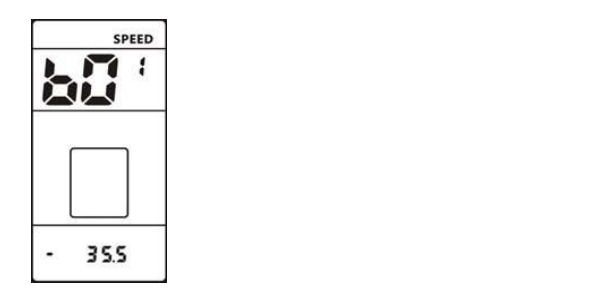
The ‘b01’ symbol is displayed together with the current temperature value.
8.6 The Maximum temperature:
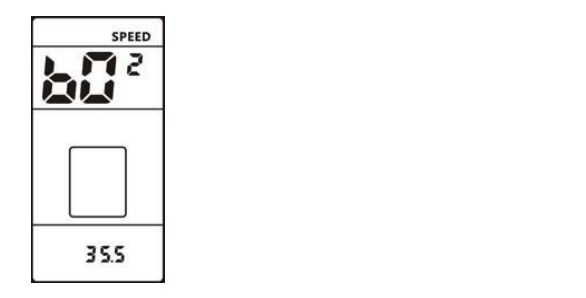
The ‘b02’ symbol is displayed together with the maximum temperature value.
8.7 The lowest temperature:
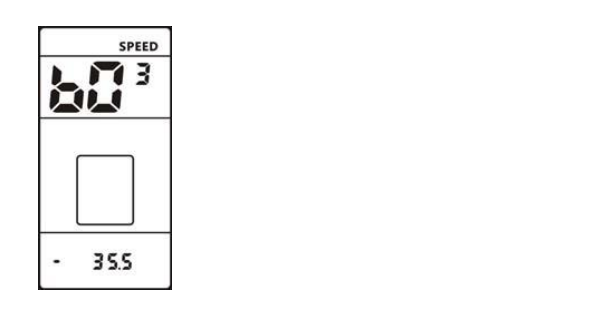
The ‘b03’ symbol is displayed together with the lowest temperature value.
8.8 The total voltage:
The ‘b04’ symbol is displayed together with the total value.
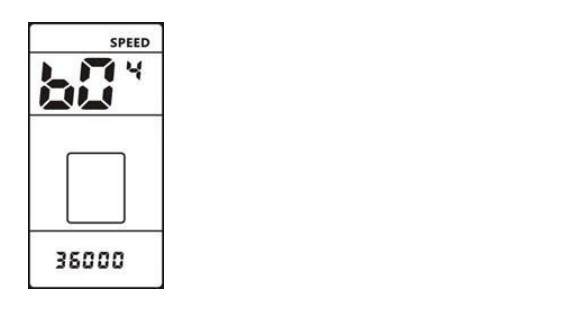
8.9 Current:
The ‘b05’ symbol is displayed together with the current value.
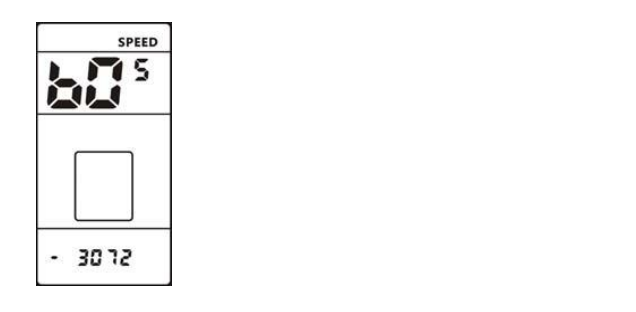
8.10 Average current:
The ‘b06’ symbol is displayed together with the average current value.
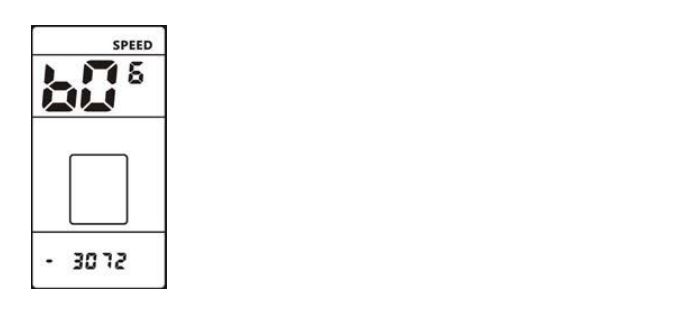
8.11 The remaining capacity:
The ‘b07’ symbol is displayed together with the remaining capacity value.
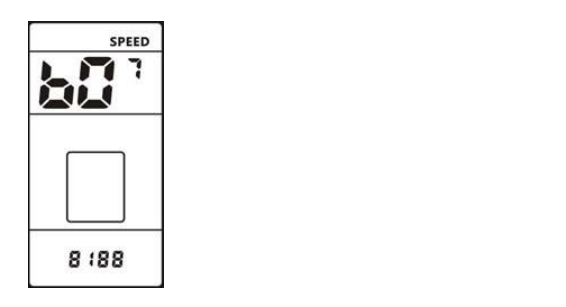
8.12 Full charge capacity:
The ‘b08’ symbol is displayed together with the full charge capacity value.
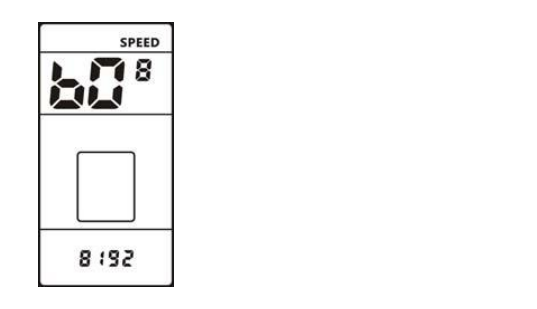
8.13 The relative state of charge:
The ‘b09’ symbol is displayed together with the relative state of charge value.
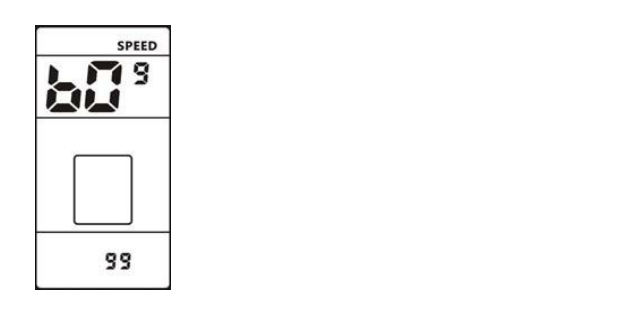
8.14 The absolute state of charge:
The ‘b10’ symbol is displayed together with the absolute state of charge value.
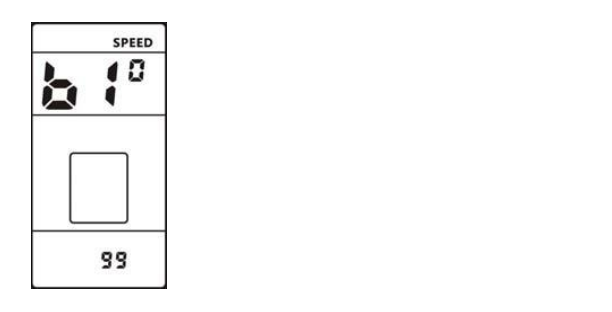
8.15 Cycle:
The ‘b11’ symbol is displayed together with the cycle value.
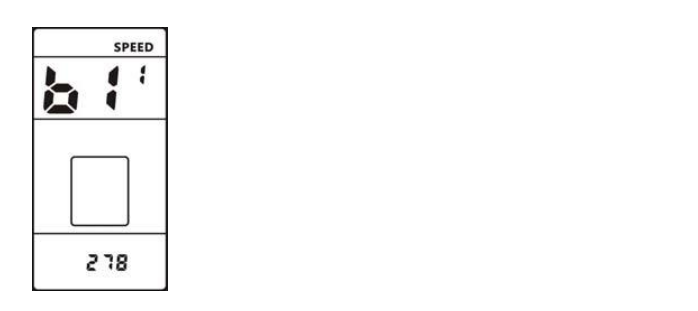
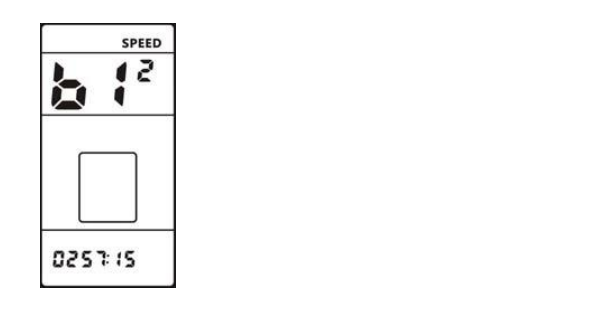
8.16 The maximum no charging time:
The ‘b12’ symbol is displayed together with the maximum no charge time.
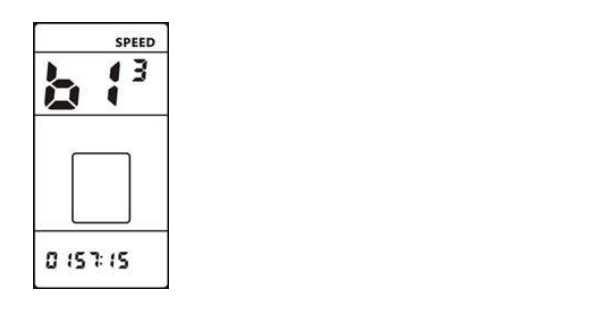
8.17 No recent charging time:
The ‘b12’ symbol is displayed together with the no recent charging time.
9. Error Codes
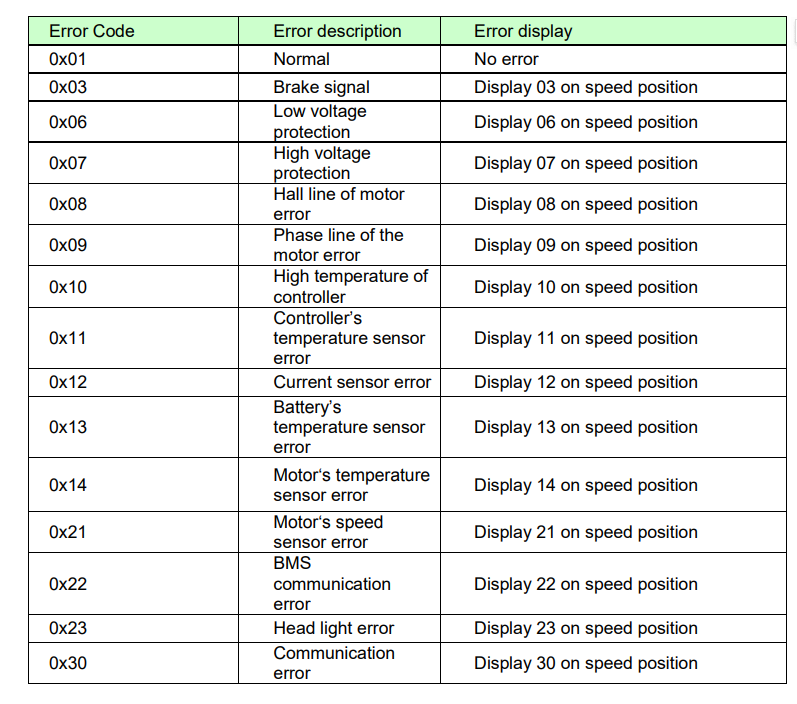
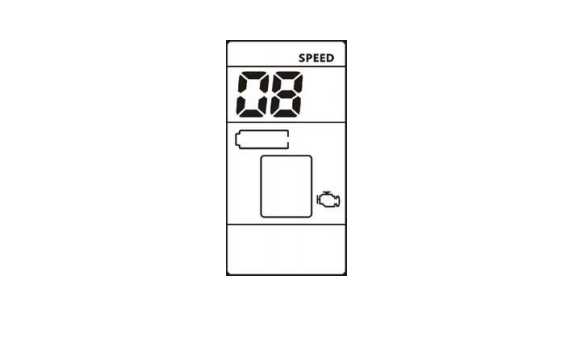
If there is a problem with your E-bike an error code will be displayed. The engine icon will appear with an error code ranging from 01H~FFH.
See table below for error code descriptions.
10. Assembly instructions
Please pay attention to the screw’s torque value; damage caused by excessive torque is not within the scope of the warranty.
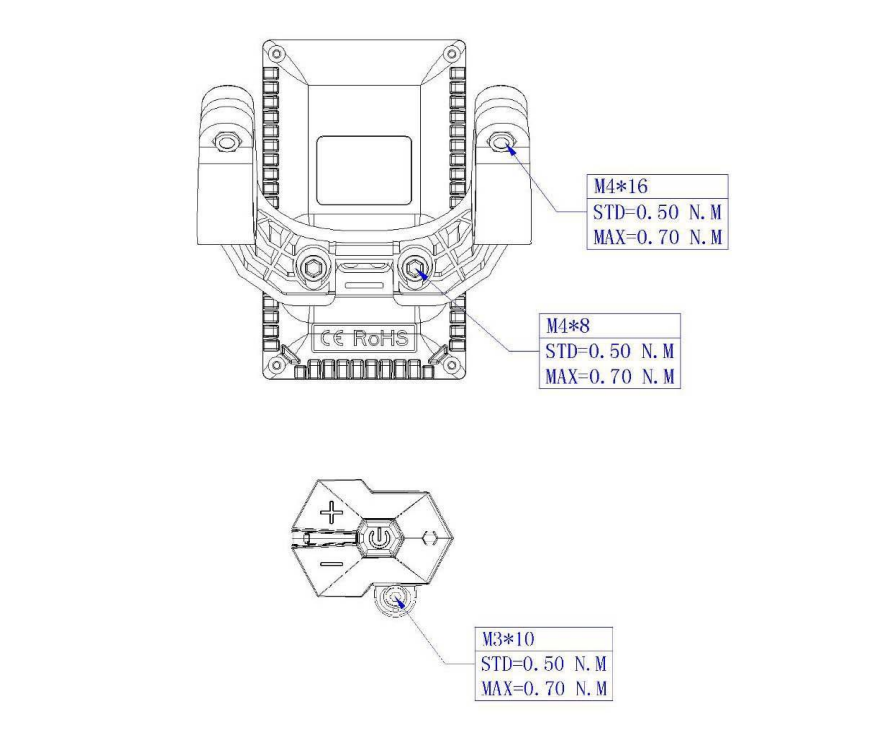
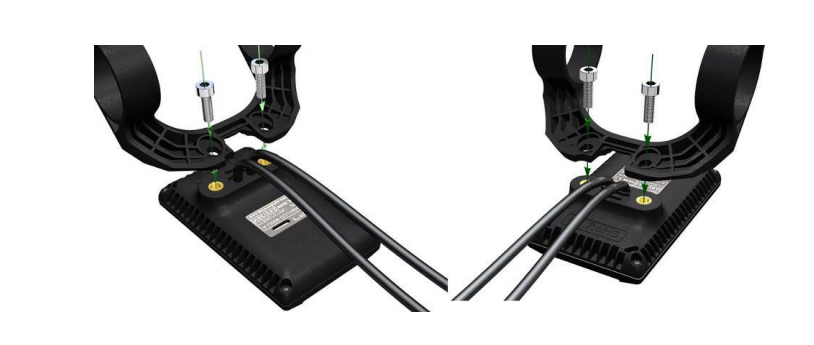
There are 2 directions for the clamp installation, forward or backward.
Different assembly methods will need different cable length.
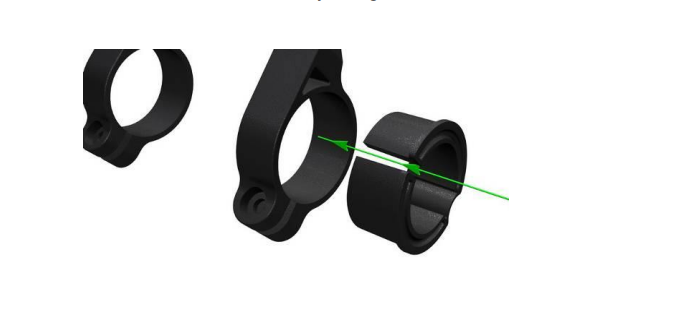
Clamps are suitable for 3 sizes of handlebar, 31.8mm, 25.4mm, and 22.2mm, there are transfer rings for 25.4mm and 22.2mm. Transfer rings must be assembled in the correct direction as illustrated by the green arrow below.
11. Assist level instructions
The range of assist levels can be selected (see section 8.4), the highest number of levels is 9, see the table below to see how 3 and 5 levels correlate to 9:
12. Certification
CE / IP65 (water proof) / ROHS.